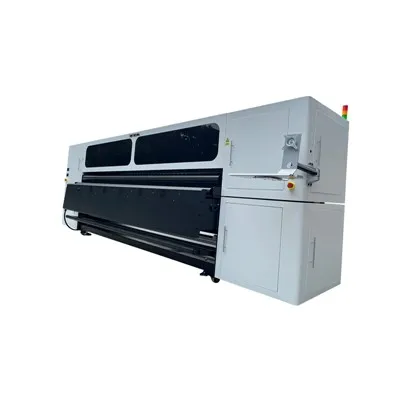
Installing an eco solvent printer can seem like a daunting task, especially if you’re new to the world of large – format printing. As a supplier of eco solvent printers, I’ve helped numerous customers through the installation process and am excited to share some insights with you. In this blog post, I’ll walk you through a step – by – step guide on how to install an eco solvent printer, ensuring that you can get your machine up and running smoothly. Eco Solvent Printer
Preparation
Before you even unpack your eco solvent printer, it’s important to do some groundwork.
Site Selection
First and foremost, find a suitable location for your printer. The area should be clean, dry, and well – ventilated. Eco solvent inks emit fumes, and proper ventilation is crucial to ensure the safety of the operators and prevent the accumulation of potentially harmful substances. The temperature and humidity in the area also need to be within the recommended range for the printer. Most eco solvent printers operate best at temperatures between 20°C – 25°C (68°F – 77°F) and a relative humidity of 40% – 60%.
The floor on which the printer will be placed should be level and able to support the weight of the printer. Uneven floors can cause problems with the printer’s movement and alignment, leading to poor print quality.
Power Supply
Check the power requirements of your printer. Different eco solvent printers have different voltage and amperage requirements. Make sure that the power outlet you plan to use meets these specifications. It’s also a good idea to use a surge protector to safeguard the printer from power surges, which can damage the sensitive electronic components of the machine.
Gather Necessary Tools
Collect the tools you’ll need for the installation. These typically include a Phillips – head screwdriver, a flat – head screwdriver, adjustable wrenches, and a level. Having these tools at hand will make the installation process much more efficient.
Unpacking and Assembly
Once you’ve completed the preparation, it’s time to unpack and assemble the printer.
Unpacking
Carefully unpack the printer from its packaging, following the instructions provided. Inspect all the components for any visible damage during transit. If you notice any issues, contact your supplier immediately. Keep all the packing materials in case you need to return or transport the printer in the future.
Assembly
Most eco solvent printers come partially assembled, but you’ll still need to perform some assembly steps. Start by attaching any external components, such as the media roll holders or the take – up reel. Use the appropriate tools to secure these components tightly.
Next, install the print heads. This is a delicate process, so make sure to follow the manufacturer’s instructions precisely. The print heads are responsible for depositing the ink onto the media, and any misalignment can result in poor print quality.
Ink System Installation
The ink system is a critical part of an eco solvent printer, and proper installation is essential for optimal performance.
Ink Cartridge Installation
Open the ink cartridge compartment. Each eco solvent printer has a specific number of ink channels, usually corresponding to different colors such as cyan, magenta, yellow, and black, and sometimes additional colors like light cyan and light magenta. Remove the ink cartridges from their packaging and gently insert them into their respective slots. Make sure they are properly seated and that the seals are intact.
Ink Tubing Connection
Connect the ink tubing from the cartridges to the print heads. The tubing should be routed neatly to prevent kinks and blockages. Use the provided clips or connectors to secure the tubing in place.
Purge the Ink System
After installing the ink cartridges and connecting the tubing, you need to purge the ink system to remove any air bubbles and prime the print heads. This process may vary depending on the printer model. Generally, you’ll use the printer’s control panel to initiate the purging function. Follow the on – screen instructions carefully. You may need to repeat the purging process several times until a steady flow of ink is observed.
Media Loading
Once the ink system is up and running, it’s time to load the media.
Select the Right Media
Eco solvent printers can work with a variety of media, including vinyl, canvas, and banner materials. Choose the media that is compatible with your printer and suitable for your printing needs. Consider factors such as the thickness, surface finish, and ink absorption rate of the media.
Load the Media
Open the media loading area of the printer. Place the media roll onto the media holders, making sure it is centered and can rotate freely. Thread the leading edge of the media through the printer’s feeding mechanism, following the guides provided. Adjust the tension of the media roll to ensure smooth feeding.
Software Installation and Configuration
A properly configured software is essential for operating the eco solvent printer.
Install the Printer Driver
Insert the driver CD that came with the printer or download the latest driver from the manufacturer’s website. Follow the installation wizard to install the printer driver on your computer. During the installation process, you may need to select the printer model and connect the printer to your computer via USB or Ethernet.
Printer Configuration
Once the driver is installed, open the printer configuration software. You can use this software to set various printing parameters, such as print quality, speed, and media type. It’s important to calibrate the printer to ensure accurate color reproduction. Most printer software provides calibration tools that allow you to adjust the color settings based on a test print.
Initial Test Print
After completing all the above steps, it’s time to perform an initial test print.
Print a Test Pattern
Use the printer software to print a test pattern. This pattern typically includes different colors, lines, and shapes. Examine the print carefully for any issues such as streaks, banding, or color inaccuracies.
Troubleshooting
If you encounter problems with the test print, refer to the printer’s user manual for troubleshooting guidance. Common issues may include clogged print heads, incorrect ink levels, or misaligned media. In case you’re unable to resolve the problem on your own, don’t hesitate to contact our technical support team.
Maintenance Tips for Long – term Use
Once your eco solvent printer is installed and running smoothly, proper maintenance is key to ensuring its long – term performance.
Regular Cleaning
Clean the printer regularly to remove dust, ink residues, and other contaminants. Use a soft, lint – free cloth and a cleaning solution recommended by the manufacturer. Pay special attention to the print heads and the media path.
Ink Level Monitoring
Keep an eye on the ink levels and replace the cartridges promptly when they are low. Running out of ink can cause the print heads to dry out and clog.
Print Head Maintenance
Follow the manufacturer’s instructions for print head maintenance. This may include periodic purging, capping, and cleaning to prevent nozzle blockages.
In conclusion, installing an eco solvent printer requires careful planning, attention to detail, and following the manufacturer’s instructions. With the right preparation and a systematic approach, you can have your printer up and running in no time.
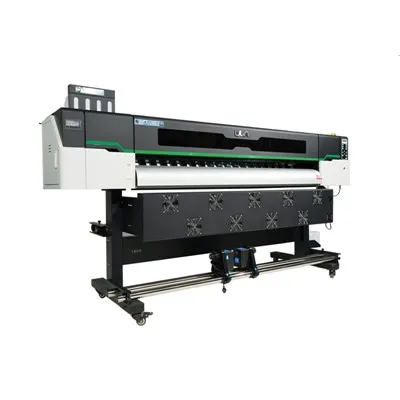
If you’re in the market for an eco solvent printer or need further assistance with installation, maintenance, or any other printing – related questions, don’t hesitate to reach out. Our team of experts is always ready to help you make the most of your printing investment. We can provide you with detailed product information, offer customized solutions based on your needs, and ensure a seamless purchasing and installation experience. Contact us today to start a conversation about your printing requirements.
Eco Solvent Printer References
- Manufacturer’s User Manuals for Eco Solvent Printers
- Industry Publications on Large – Format Printing Technology
Hangzhou Yulan Technology Co., Ltd.
Hangzhou Yulan Technology Co., Ltd. is one of the most professional eco solvent printer manufacturers and suppliers in China. With abundant experience, we warmly welcome you to wholesale the newest eco solvent printer in stock here from our factory. Good service and quality products are available.
Address: Building, No.128 Rihui Road, Linping District, Hangzhou, China.
E-mail: ulinprint@gmail.com
WebSite: https://www.ulinprinter.com/
